If you run a business website, you’ve probably wondered whether people are actually finding it, and what they do once they land. Guessing is expensive. Google Analytics answers those questions with real data, and it costs nothing to start.
This guide explains what Google Analytics is, how it works, which tools matter most, and how to learn it properly in 2026. It’s written for business owners and marketers alike.
What Is Google Analytics? A Beginner's Guide
Google Analytics is a free web analytics platform from Google. It tracks how visitors find and use your website or app. The current version is Google Analytics 4 (GA4), which replaced the older Universal Analytics when that version stopped processing data in July 2023.
In simple terms, it tells you:
- How many people visit your site
- Where they come from (Google search, social media, ads, direct visits)
- Which pages they read
- Whether they take an action you care about, such as submitting a form, calling you, or making a purchase
Why website traffic data matters
More traffic doesn’t always mean more business. In our work managing SEO and content for brands in real estate, finance, and renovation, the pages that get the most visits are often not the pages that bring enquiries. Analytics is how you spot that difference and put your effort where it pays off.
How Google Analytics Works
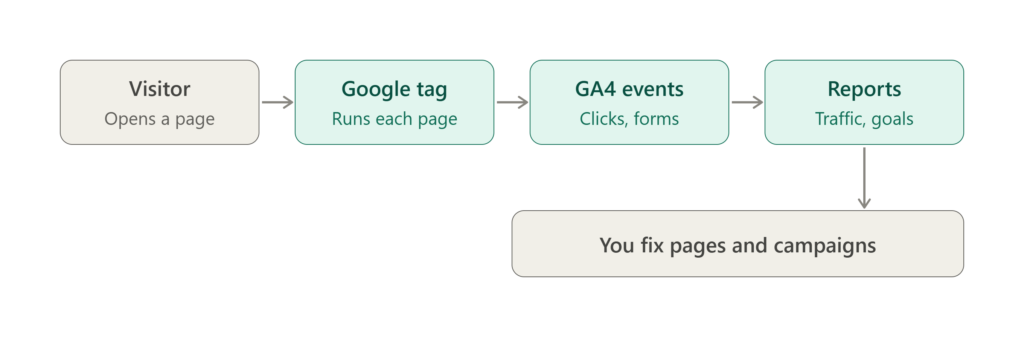
GA4 follows a simple three-step flow.
1. A tracking tag collects the data
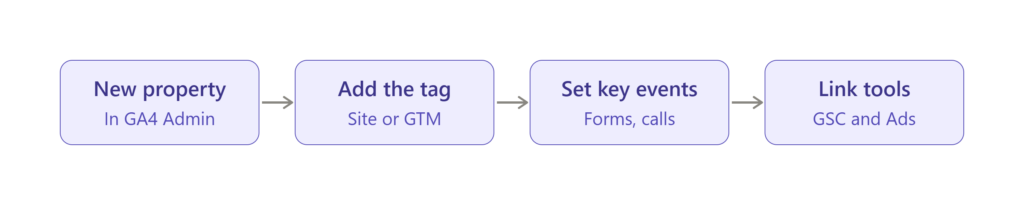
You add a small piece of code, called the Google tag, to your website. You can install it directly or through Google Tag Manager. Once it’s live, it records what visitors do on each page
2. Everything is measured as an event
GA4 is event-based. A page view is an event. So are scrolls, link clicks, file downloads, and form submissions. You choose which events matter most to your business and mark them as key events (previously called conversions). For a clinic, that might be a booking form. For a shop, it’s a completed purchase.
3. The data becomes reports
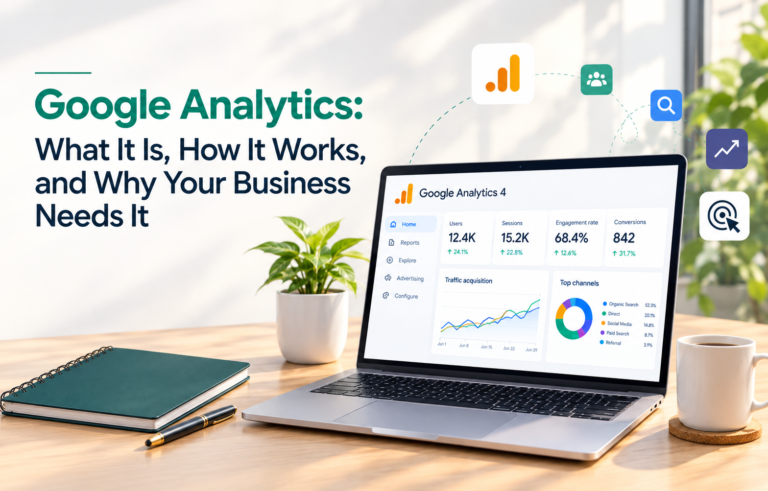
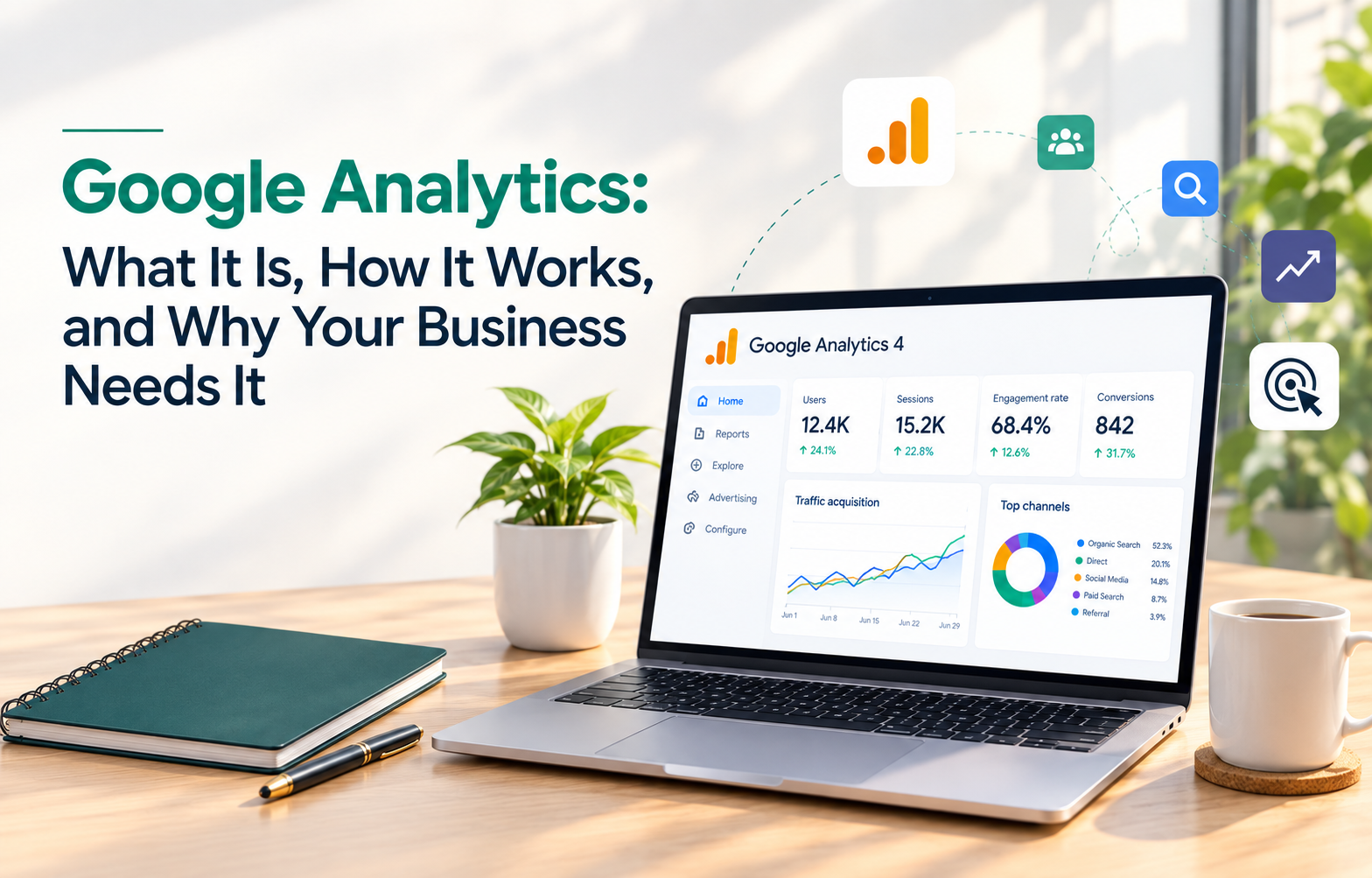
Google processes the events and shows them in reports. You’ll mostly work with sessions, users, engagement rate, and traffic source. Engagement rate replaces the old bounce rate as the main quality signal. It shows the share of visits where people actually stayed, read, or interacted.
One point on privacy: GA4 supports consent settings, so you can respect cookie choices under privacy rules. Check what applies to your audience and region.
Analytics Tools & Solutions for Your Business
GA4 is more than one dashboard. These are the parts most businesses use.
Standard reports
The reports cover acquisition (how people arrive), engagement (what they do), monetization (revenue, for online stores), and retention (who comes back). Start with acquisition and engagement. They answer most beginner questions.
Explorations
Explorations let you build custom analysis, such as funnels that show where visitors drop off before completing a goal. They take more practice, but they’re where the deeper insights come from.
Audiences
You can group visitors by behaviour, for example “people who viewed pricing but didn’t enquire.” Those groups can be used for remarketing in Google Ads.
Integrations
GA4 connects with other Google tools:
- Google Search Console: see which search queries bring people to your site
- Google Ads: measure what your paid campaigns actually deliver
- Looker Studio: build shareable dashboards for clients or your team
- BigQuery: export raw data for advanced analysis
You can see the full feature list on the official Google Analytics page.
Analytics for Marketing Specialists and Digital Analysts
If you work in marketing, GA4 becomes part of your daily routine. Here’s how it helps in each area.
- SEO: find which landing pages bring organic visitors and which ones lose them quickly
- Content: see which articles hold attention and which need a rewrite
- Paid ads: compare campaigns by conversions instead of just clicks
- E-commerce: track product views, add-to-carts, and purchases in one funnel
A few habits save a lot of trouble later:
- Set up key events before you launch a campaign, not after.
- Use UTM parameters consistently so traffic sources stay clean.
- Exclude your own team’s traffic so it doesn’t inflate the numbers.
- Review your reports on a fixed schedule, weekly or monthly.
Setting this up correctly is where many businesses struggle. A clean setup at the start saves hours of confusion when you read your reports later.
Google Digital Marketing & E-commerce Certificate
If you want a broader foundation than analytics alone, the Google Digital Marketing & E-commerce Certificate on Coursera is a solid option. It’s a beginner-friendly programme that covers online marketing basics, including search, email, social media, and e-commerce, with analytics as one part of the journey.
It suits career changers and students who want structure and a recognised name on their CV. It’s subscription-based, so check the current pricing and duration on the course page before enrolling.
Best Google Analytics Courses & Certificates [2026]
The right choice depends on your goal.
- Google Analytics Certification on Skillshop: Google’s own free training with a certification exam. It’s the best starting point if you want to learn GA4 specifically.
- Google Digital Marketing & E-commerce Certificate (Coursera): best if you want analytics inside a full digital marketing curriculum.
- Google’s Analytics Help Center: free, always current, and useful when you get stuck on a real problem.
- Hands-on practice: connect a small personal site to GA4 and explore the reports yourself. Nothing teaches faster than real data.
A certificate helps, but employers and clients care more about whether you can explain what the numbers mean and what to do next.
Frequently Asked Questions
Is Google Analytics free?
Yes. The standard version of GA4 is free. Large enterprises can choose the paid Google Analytics 360.
What’s the difference between GA4 and Universal Analytics?
Universal Analytics counted sessions and page views. GA4 measures events across websites and apps, with a stronger focus on engagement.
Do I need coding skills to use it?
No. Basic setup can be done with Google Tag Manager or your website platform’s built-in integration.
How long does it take to see data?
Real-time reports show activity within minutes. Standard reports can take up to 24 to 48 hours to fully update.
Is Google Analytics enough for SEO?
It shows how visitors behave. Pair it with Google Search Console to see which searches bring them in.
Final Thoughts
Google Analytics turns guesswork into decisions. Start small: install the tag, mark two or three key events, and check your acquisition and engagement reports every week. Once that feels comfortable, move on to explorations, audiences, and integrations.
If you’d rather not set it all up alone, the team atMedowa Global helps businesses with SEO, content, and analytics tracking, so you can spend your time on decisions instead of dashboards.