
Picture a customer in Trivandrum searching for a service on their phone. They tap your result, and the page stays half blank for a few seconds. Then the button they wanted jumps down just as they press it. They go back to Google and click your competitor.You earned that visit with good content or paid for it with ad spend, and you got nothing from it. That small moment is exactly what Core Web Vitals are designed to measure. In this guide, we explain the three metrics in plain language, show why they matter for rankings and enquiries, and share fixes you can start this week.
What Are Core Web Vitals?
Core Web Vitals are three checks Google uses to see how your page feels to a real visitor. Not how it looks in a design file, but how it behaves on an ordinary phone, on an ordinary network, in the hands of someone in a hurry. Google explains how it chose the targets in its web.dev documentation on Core Web Vitals thresholds.
Here is what each one asks, in everyday terms.
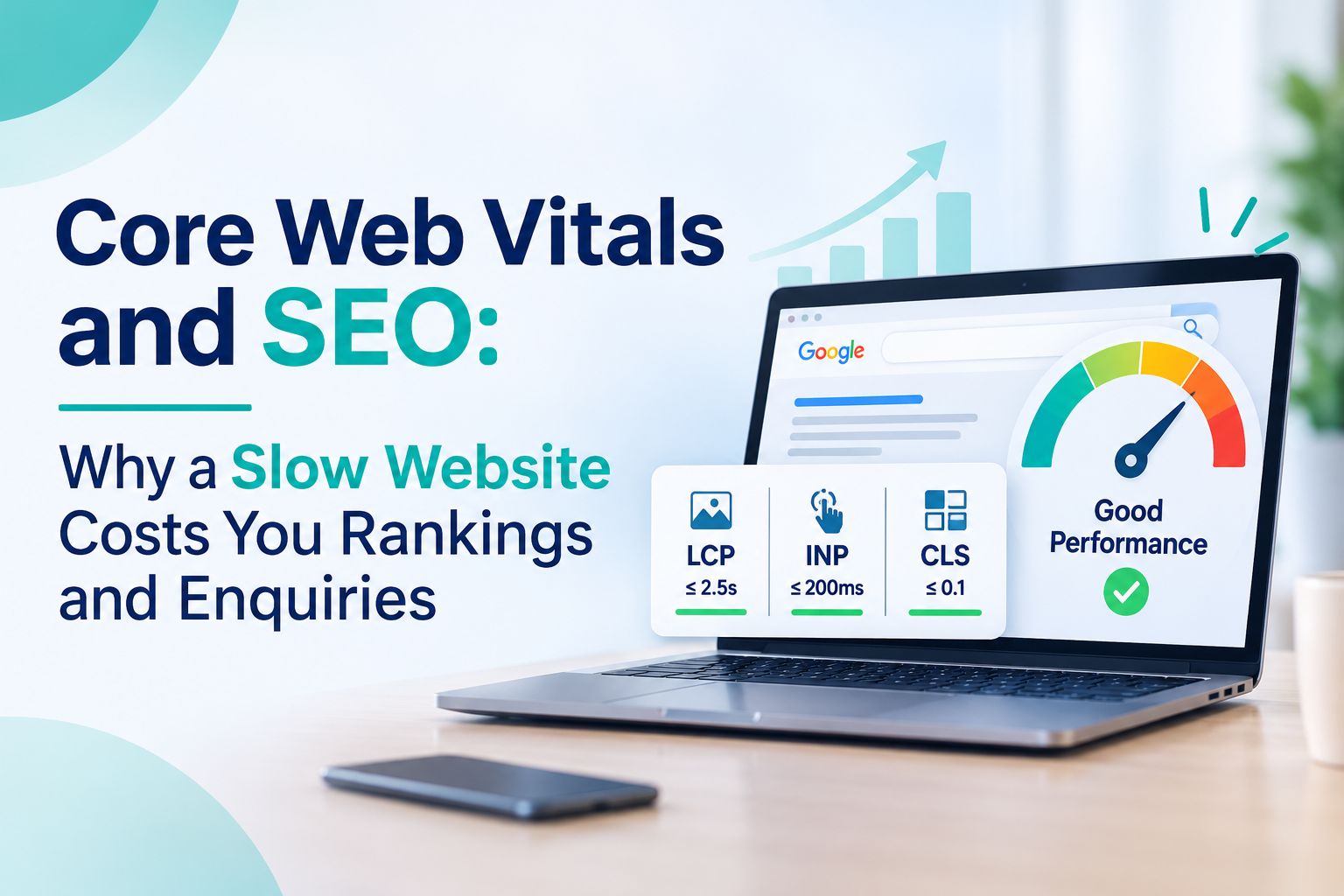
LCP (Largest Contentful Paint) asks, “How long before the main part of the page shows up?” That is usually your top banner image or your main heading. Google wants this to happen within 2.5 seconds. If it takes longer than 4 seconds, your visitor is likely staring at a blank screen and wondering whether to bother.
INP (Interaction to Next Paint) asks, “When I tap something, does the page respond?” Think of opening your menu or pressing a call button. A good response comes within 200 milliseconds, which feels instant. Past 500 milliseconds, the page feels stuck, and people start tapping again and again.
CLS (Cumulative Layout Shift) asks, “Does the page stay still while I read it?” You know the feeling when you are about to tap a button and an image loads above it, pushing everything down. A score of 0.1 or lower is good. Above 0.25, the page is jumping around enough to cause mis-taps and frustration.
One more detail that matters: Google judges these scores using real visits, and it looks at the experience of most of your visitors, not just the lucky ones on fast connections. So your site needs to work well for the average customer, not only for you on office Wi-Fi.
Also note that INP replaced the older First Input Delay (FID) metric in March 2024. If an old report still mentions FID, it is out of date.
Why a Slow Website Hurts Rankings and Enquiries
Let us be honest about rankings first. Core Web Vitals are one signal among many. A page that answers the search well will usually beat a fast page that says very little. But when two pages are similarly relevant, page experience can tip the balance.
The bigger cost is what happens after the click. A slow or jumpy page makes people leave before they read your offer, call your number or fill in your form. Those are the enquiries you never see in your inbox.
If you are working on bringing more visitors, our guide on website traffic and how to grow it covers the sources. Speed decides how many of those visitors actually stay.
LCP: How Fast Does Your Main Content Show Up?
LCP measures how long it takes for the biggest visible element, usually a hero image or a main heading, to load. Think of it as the moment a visitor feels “okay, the page is here.”
What usually slows it down
- Large, uncompressed hero images
- Slow hosting or no caching
- Heavy CSS and JavaScript that block the page from displaying
- Custom fonts that load late
Practical fixes
- Resize and compress your top image. A banner of 3 MB is rarely needed, and modern formats like WebP are much lighter.
- Do not lazy-load the main hero image. It should load first, not last.
- Use decent hosting, enable caching and consider a CDN if your audience is spread across regions.
- Remove CSS and scripts the page does not need above the fold.
INP: Does Your Site React When People Tap?
INP checks how quickly the page responds when someone taps a menu, opens an accordion or presses a button. A site can look loaded and still feel stuck.
What usually causes it
Too much JavaScript. On business websites, the usual suspects are stacked plugins, chat widgets, pop-up tools, heatmap scripts and several tracking tags all fighting for attention.
Practical fixes
- Audit your plugins and tags. Remove anything you no longer use.
- Load non-essential scripts later, after the page is usable.
- Test your forms, menus and filters on a mid-range phone, not only on your own laptop.
- For deeper problems, ask a developer to break up long JavaScript tasks.
CLS: Why Does the Page Keep Jumping?
CLS measures unexpected movement. You start reading, an image loads above the text, and everything slides down. It is annoying, and it causes mis-taps on buttons.
What usually causes it
- Images and videos without set width and height
- Banners, cookie bars or ads that appear late and push content
- Fonts that swap after the page has loaded
- Embedded maps or social posts with no reserved space
Practical fixes
- Always define image dimensions so the browser reserves space.
- Reserve a fixed slot for banners and embeds.
- Show cookie notices as an overlay instead of pushing the page down.
- Preload key fonts or use a sensible fallback font.
How to Check Your Own Scores
You do not need expensive tools to begin.
- Google Search Console: The Core Web Vitals report shows which page groups are good, need improvement or are poor, based on real visitor data.
- PageSpeed Insights: Paste a URL into PageSpeed Insights to see real-user data where available, plus specific suggestions.
Keep one thing in mind. Lab results are a simulation, while field data shows what real users experienced. If they disagree, trust the field data. Test your homepage, your top service page and your enquiry page first, and check them on mobile, since that is where most local searches happen.
A Simple Order of Work
If the list feels long, follow this sequence:
- Measure your three most important pages.
- Fix images first. This is usually the fastest win for LCP.
- Clean up plugins and scripts to help INP.
- Stabilise the layout by setting dimensions and reserving space.
- Review hosting if scores stay weak after the basics.
- Wait and recheck. Field data is collected over a rolling window of about 28 days, so improvements take a few weeks to show.
Speed is one part of technical health. A full technical SEO audit looks at crawlability, indexing, redirects and structure alongside page experience, so nothing hides behind a good-looking score.
Also, do not judge success by scores alone. Track whether calls, form fills and enquiries rise after your fixes. Our guide to ROI measurement in digital marketing shows how to connect website changes to business results.
Frequently Asked Questions
Do Core Web Vitals directly affect rankings?
They are part of Google’s page experience signals, but relevance and content quality come first. Treat speed as a tiebreaker and, more importantly, as a conversion factor.
What replaced First Input Delay?
Interaction to Next Paint (INP) replaced it in March 2024. It looks at responsiveness across the whole visit, not just the first tap.
How long until I see improvement?
Expect around a month, because real-user data is gathered over a rolling period.
Do I need a perfect 100 in PageSpeed Insights?
No. Aim to pass the three Core Web Vitals thresholds for real users. A perfect lab score is not required.
Can I fix this without a developer?
Often yes for images, plugins and banners. Deeper JavaScript and server issues usually need technical help.
Final Thoughts
Core Web Vitals are not about chasing numbers to impress Google. They are about respecting the visitor who arrived on your page with a real need and limited patience. Fast loading, quick response and a stable layout make it easier for that person to call you, message you or buy from you.
Start with images, trim unnecessary scripts and fix layout jumps. If your site needs more than quick fixes, the team behind our website design and development services at Medowa Global can help build a faster, cleaner site.