
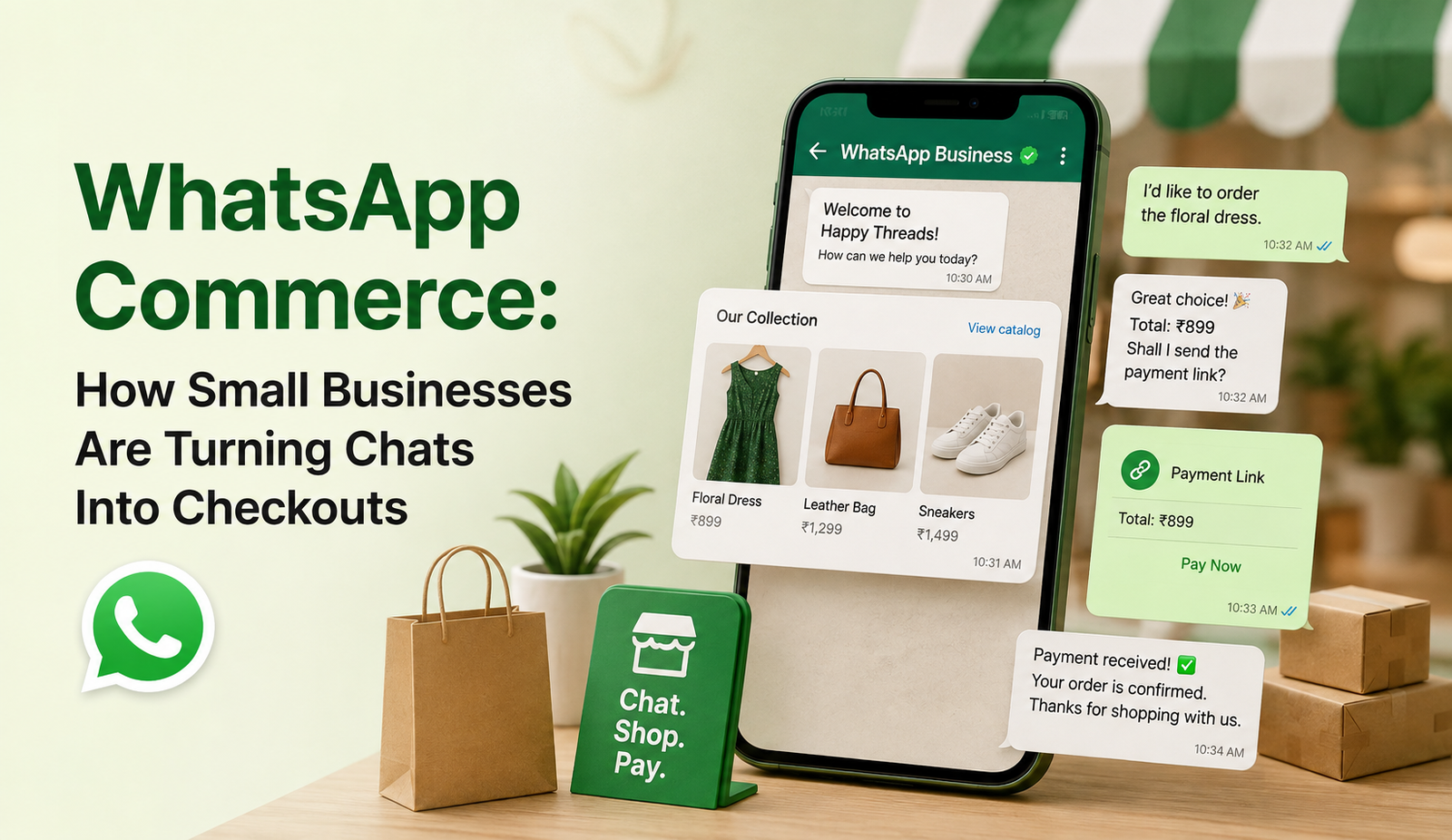
For most small business owners, WhatsApp started out as a convenience and a quick way to answer “is this available?” or “what’s the price?” But somewhere along the way, that convenience turned into something bigger. Today, a growing number of small and home-run businesses are using WhatsApp as their entire sales counter: showing products, taking orders, and even collecting payments, all inside one chat thread.
This shift has a name: WhatsApp Commerce and it’s changing how small sellers think about “going online.” You no longer need a full website or a coding team to start selling. You need a WhatsApp Business number, a well-organized catalog, and a bit of patience with your customers. In this guide, we’ll walk through what WhatsApp Commerce actually looks like in practice, why it’s working so well for small businesses, and how to set it up without the common mistakes that slow sellers down.
What is WhatsApp Commerce?
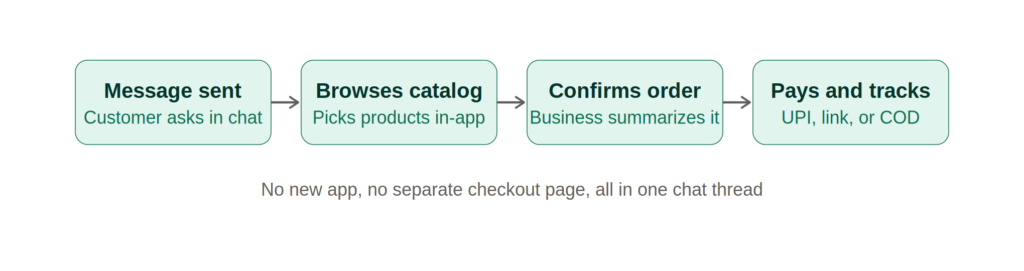
WhatsApp Commerce simply means using WhatsApp’s built-in business features: catalogs, product tags, cart options, and payment links to let a customer go from “just browsing” to “order placed,” without ever leaving the app. Think of it as a store window and a billing counter, both squeezed into a chat window your customer already checks a dozen times a day.
A customer typically messages the business, taps through a shared catalog, picks what they want, and either pays through a UPI or payment gateway link, or confirms a cash-on-delivery order. There’s no separate app download, no account creation, no unfamiliar checkout page. It’s the same interface they use to talk to friends and family.
This is exactly why the format suits small businesses so well bakeries, boutique clothing sellers, home chefs, gift shops, and local service providers. These are businesses where the product range is manageable, and where a bit of personal conversation actually helps close the sale.
Why it Matters
Most small businesses simply don’t have the time, budget, or technical know-how to build and maintain a proper e-commerce website. WhatsApp Commerce quietly removes that hurdle by using a platform people already trust with no learning curve involved.
- Customers don’t need a new app or account to start shopping
- A business can go live with just a smartphone and a WhatsApp Business profile
- Real conversations build trust faster than a static product listing ever could
- Order questions, delivery updates, and payment confirmations all live in one place
- It works well even for customers who aren’t comfortable browsing full websites
Key Benefits
Lower Barrier to Entry
Setting up a catalog on WhatsApp Business takes a fraction of the time and cost of building a website. Products, prices, and short descriptions can be added directly from a phone, which means even a first-time seller with no technical background can start showing off their products the same day.
Stronger Customer Relationships
Because every sale happens through a conversation, there’s room to answer a doubt, suggest a better-fitting product, or offer a small discount on the spot. That kind of back-and-forth tends to build far more loyalty than a customer clicking “add to cart” alone on a website.
Faster, Friction-Free Buying
When someone can browse, ask a question, and pay without switching between five different apps, they’re far more likely to actually finish the purchase. Fewer steps between “I like this” and “I’ve paid for this” usually means fewer abandoned orders.
Best Practices
Based on what we’ve seen work across different small business setups, these are the practices that consistently make WhatsApp Commerce run smoothly:
- Complete the WhatsApp Business profile fully business hours, address, and a short, clear description go a long way in building first impressions
- Keep the catalog organized, grouped by category, with prices and stock status updated regularly
- Set up quick replies and greeting messages so customers get a response even during busy hours
- Offer a payment option that fits the business a UPI link, a payment gateway, or clearly stated cash-on-delivery terms
- Summarize every order before confirming it items, price, and delivery timeline, so there’s no confusion later
- Send a short follow-up after delivery it costs nothing and often brings customers back
- Save recurring questions as quick replies instead of typing the same answer repeatedly
For businesses that want to go a step further, referring to the official WhatsApp Business platform overview is a good way to understand exactly which catalog and payment features are available in a given country before setting things up.
Common Mistakes
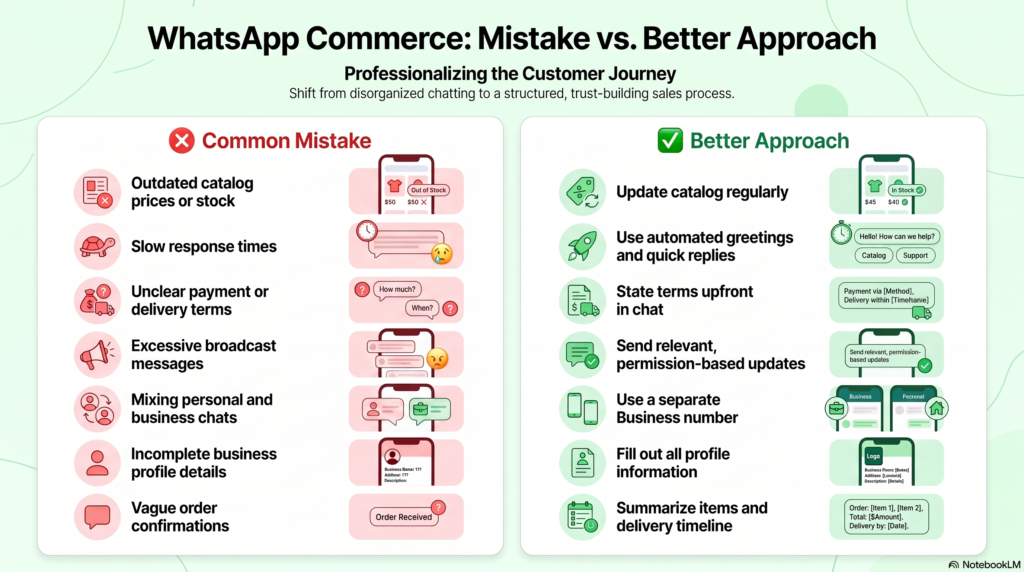
We often see these mistakes slow down otherwise well-run WhatsApp storefronts:
| Mistake | Why it Hurts | Better Approach |
|---|---|---|
| Outdated catalog prices or stock | Leads to confusion and cancelled orders | Review and update the catalog regularly |
| Slow response times | Customers move on to the next seller quickly | Use automated greetings and quick replies |
| No clear payment or delivery terms | Creates hesitation before checkout | State terms upfront in chat or catalog |
| Sending too many broadcast messages | Leads to blocks and reduced trust | Send only relevant, permission-based updates |
| Mixing personal and business chats | Looks unprofessional and disorganized | Use a separate WhatsApp Business number |
Frequently asking Question
- Is WhatsApp Commerce free to set up? Yes. Creating a WhatsApp Business profile and catalog costs nothing. Some advanced features, like certain payment gateway integrations, may involve third-party charges.
- Do customers need a separate app to buy through WhatsApp? No. Customers only need WhatsApp itself; there’s no separate app or account required to browse a catalog or place an order.
- Can small businesses accept payments directly on WhatsApp? Yes, depending on the region, businesses can share payment links, use UPI, or connect a payment gateway so customers can pay within the same chat.
- Is WhatsApp Commerce suitable for every type of business? It works best for businesses with a manageable product range and a personal touch boutiques, home businesses, and local service providers. Very large catalogs may still need a full website alongside WhatsApp.
- How is WhatsApp Commerce different from a regular online store? The biggest difference is the conversational format. Instead of navigating pages alone, customers interact directly with the business throughout the buying journey, which usually feels more personal and immediate.
Conclusion
WhatsApp Commerce isn’t trying to replace every business’s website, it’s solving a different problem. It meets customers exactly where they already are, in a chat they check without thinking twice. For small and local sellers especially, it offers a low-cost, high-trust way to turn everyday conversations into real, recurring sales. Get the basics right: an organized catalog, quick responses, and clear payment terms and the rest tends to follow naturally.
Looking to set up a sales-ready WhatsApp catalog or fine-tune your digital marketing strategy? Medowa Global helps small businesses turn everyday conversations into consistent sales.