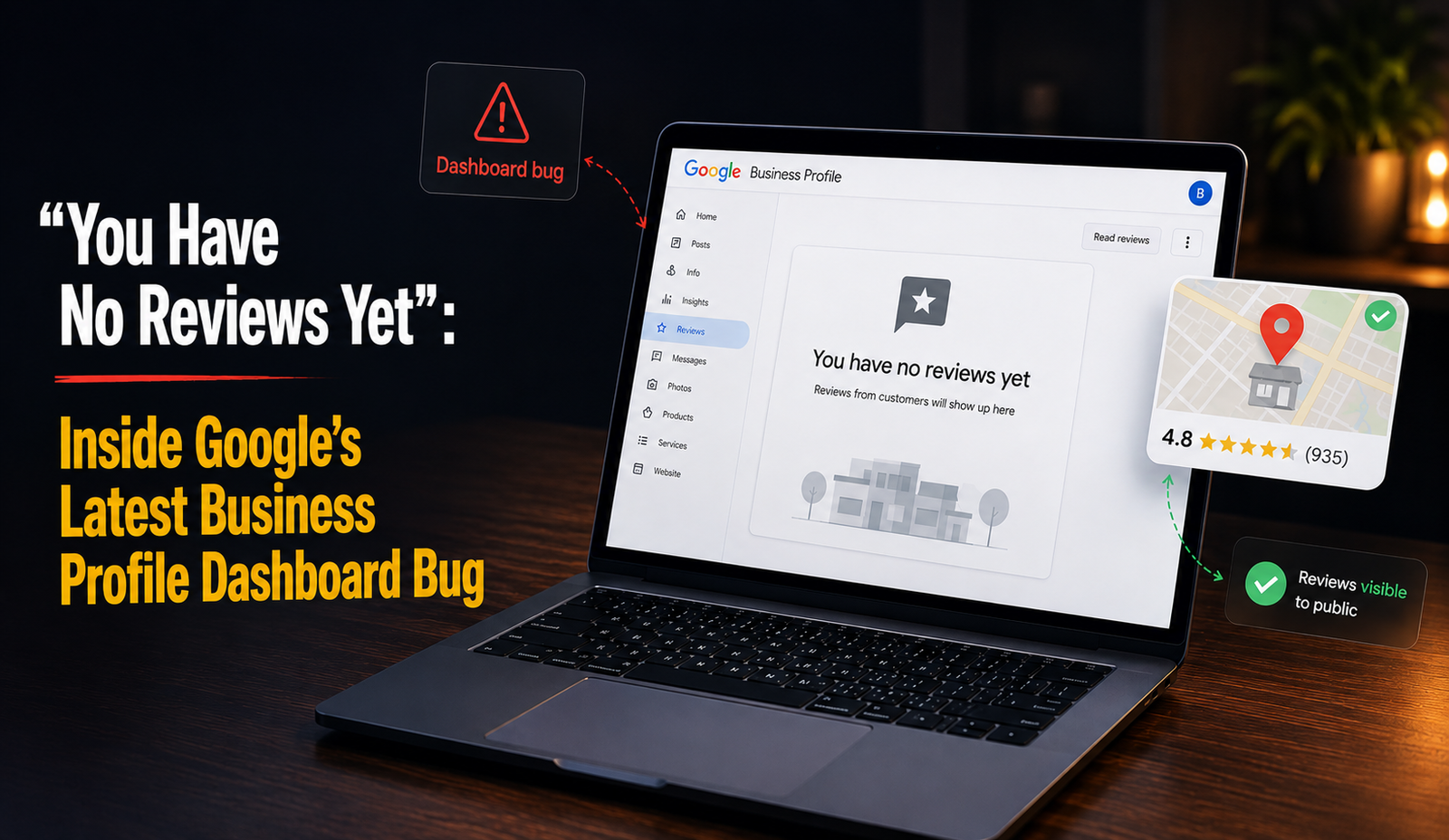
Logged into your Google Business Profile dashboard this week, clicked “Read reviews,” and got hit with “You have no reviews yet”? Even though your listing clearly shows hundreds, maybe thousands, of reviews live on Search and Maps? You’re not losing your mind. A fresh bug started spreading through business owner forums in the second week of July 2026, and it’s already getting tangled up with a completely different issue from the week before it.
So let’s clear that up first: this isn’t your reviews disappearing. This is Google’s dashboard failing to show you reviews that are still sitting right there, fully intact.
What's Actually Happening
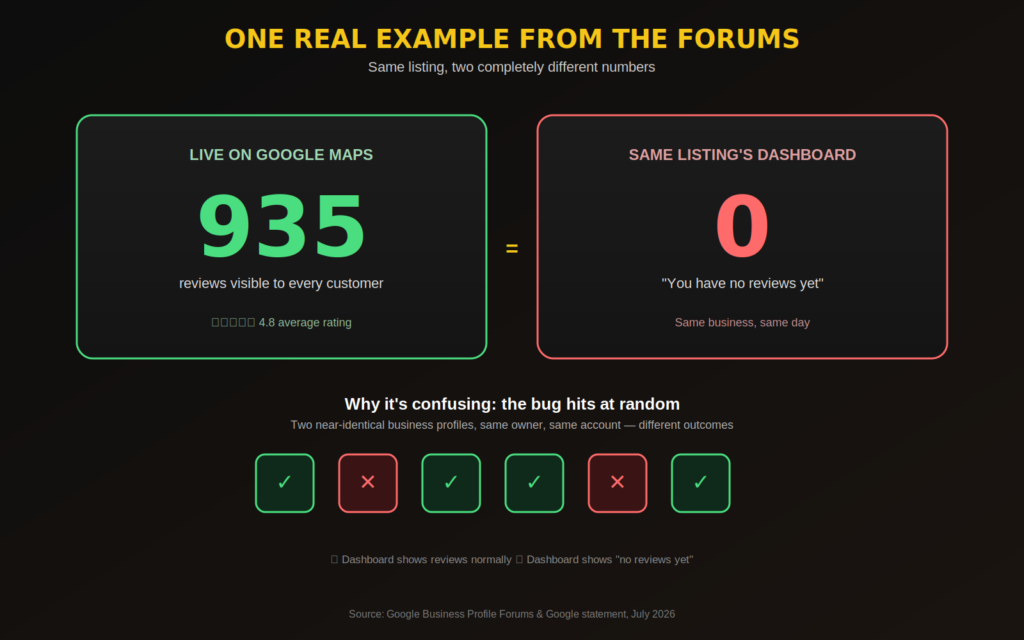
Business owners across a whole range of industries started reporting the same thing within hours of each other. The public-facing listing still shows the correct review count, but the second they open their own dashboard to reply to something, the panel just says “no reviews yet.” One of the more striking cases involved a profile with over 900 reviews live on Maps and the management dashboard, for that same listing, came back completely empty.
What made this one stand out wasn’t just that it happened, but how inconsistent it was. It didn’t seem tied to recently reinstated listings. It wasn’t hitting every business under the same management account either in fact, two nearly identical profiles managed by the same person could end up on opposite sides of it, one broken, one fine. That randomness is probably what pushed it from “isolated glitch” to “trending complaint thread” so fast.
Within a short window, a handful of near-identical support threads started stacking up on Google’s own Business Profile forums, each describing the same symptom: reviews visible to the public, invisible to the owner.
How This Differs From Last Week's "Vanishing Reviews" Story
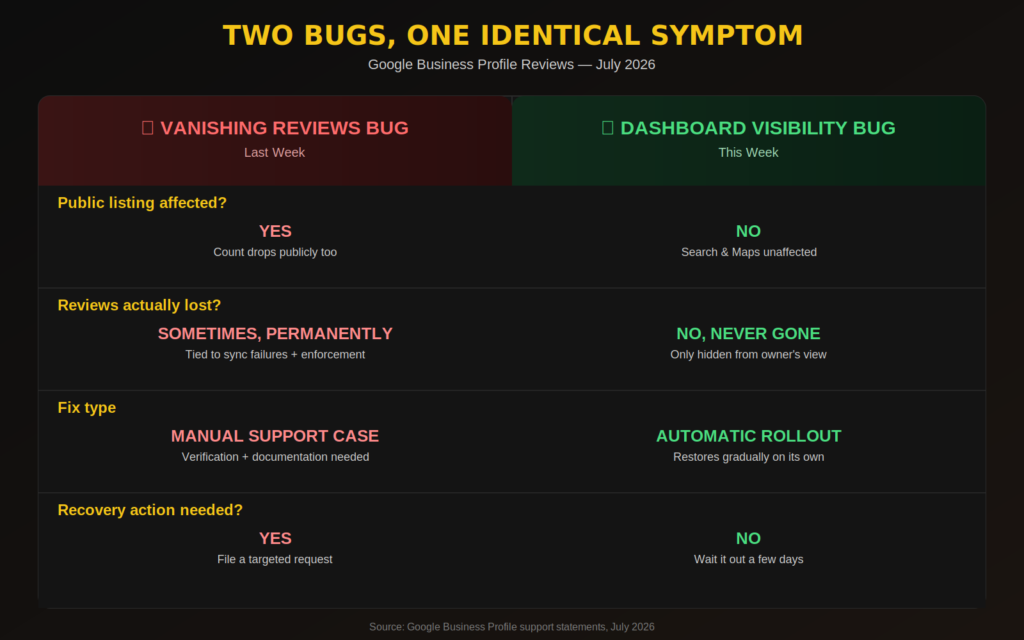
It’s tempting to lump every review-related glitch into one bucket, but 2026 has actually produced two fairly distinct problems that just happen to look similar from the outside.
The disappearing-reviews issue was about review counts actually dropping reviews that had been sitting there for years, in some cases, just stopped showing up anywhere, including on the public listing itself. That one traced back to a mix of backend sync failures and Google tightening enforcement against manipulated reviews.
This dashboard bug is a different animal. The reviews were never actually gone. Customers browsing Search and Maps could see them the entire time nothing changed on their end. It was only the business owner’s private dashboard view that broke, which meant no replying to new reviews, no managing anything, even though not a single review had actually vanished from public view.
Google addressed it directly rather than staying quiet. As reported by Search Engine Roundtable, a company spokesperson confirmed the issue was temporary and specifically about merchants losing the ability to see their reviews inside the dashboard while making clear those reviews stayed published and visible on Search and Maps throughout, with dashboard access expected to come back gradually over the following days.
That’s a genuinely better situation than a real disappearance. Doesn’t feel that way, though, when you’re staring at a blank review panel wondering what happened to your business’s reputation overnight.
Why This Keeps Happening in 2026
Neither of these bugs happened in a vacuum. Google’s review infrastructure has been under visible strain for months now, and a big part of that is sheer scale: the platform is actively filtering an enormous volume of reviews for policy violations while simultaneously processing legitimate reviews in real time. When a system is doing that much work behind the scenes, dashboard glitches and sync failures become a lot more likely to bubble up to the surface.
It doesn’t make it any less frustrating to deal with. But it does explain why the fixes tend to get described as gradual rollouts instead of instant patches the systems underneath are large, deeply interconnected, and just slow to fully settle once something breaks.
What To Do If You See "No Reviews Yet"
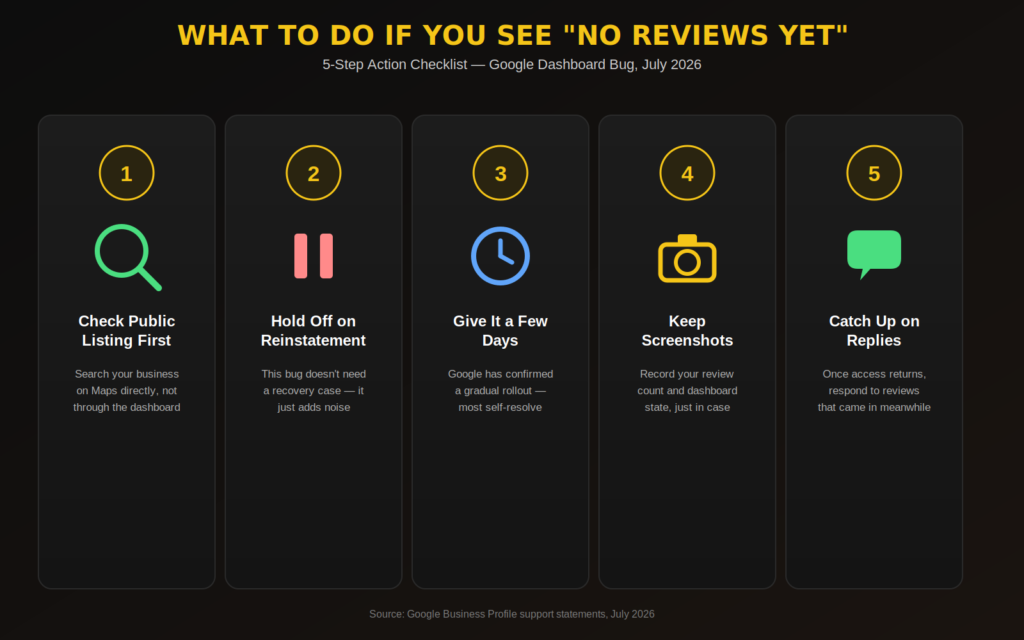
Check your public listing first. Search your business on Google Maps directly not through the dashboard. If the review count and the reviews themselves look normal there, you’re almost certainly dealing with the dashboard bug, not an actual loss.
Hold off on a reinstatement request. This bug doesn’t call for the same recovery process as a genuine review removal. Filing a reinstatement case for what’s really a display issue just adds noise to an already overloaded support queue.
Give it a few days before you escalate. Google already acknowledged this one publicly and said dashboard access would return progressively. Most businesses affected should see things return to normal without lifting a finger.
Keep screenshots anyway. Even with a bug that’s expected to resolve on its own, having a record of your review count and dashboard state before and after protects you if something does genuinely change down the line.
Watch your reply queue once things are back. If new reviews came in while your dashboard was broken, you’ll likely need to catch up on replies once access normalizes. Nothing’s lost, but your response time on recent reviews might show a visible gap.
Frequently Asked Questions
Are my reviews actually gone? No. This bug only affects the business owner’s dashboard view. Customers can still see your reviews on Search and Maps the whole time.
Is this the same issue as reviews vanishing entirely? No, and that distinction matters. The earlier issue involved review counts dropping across the board, tied to sync failures and policy enforcement. This one leaves your public review count completely untouched.
How long will this take to fix? Google’s own statement pointed to dashboard access returning over the following days rather than instantly, so a short delay is expected here, not a sign of something worse going on.
Should I still contact Google support? If your public listing is affected too, yes, flag it. But if it’s only your dashboard showing the empty message while your live listing looks completely normal, it’s reasonable to just wait it out first.
Could this happen again? Given how often Google’s review systems have thrown up glitches through 2025 and into 2026, it’s not unreasonable to expect more of this. Checking both your dashboard and your public listing every so often isn’t a bad habit to build.
Final Thoughts
Bugs like this are easy to panic over, mostly because the wording on screen “no reviews yet” sounds a lot more permanent than what’s actually going on. The more useful habit is checking your public listing before assuming the worst, and giving Google’s own fixes a short window before you escalate anything. Staying level-headed through glitches like this, while still knowing exactly when a situation genuinely needs a support case, is what separates a minor inconvenience from an actual reputation problem.